 Diskfern
Safe cleanup
Clean up without the fear
Collect candidates, review every choice, and move approved items to the Trash rather than erasing them silently.
Short answer
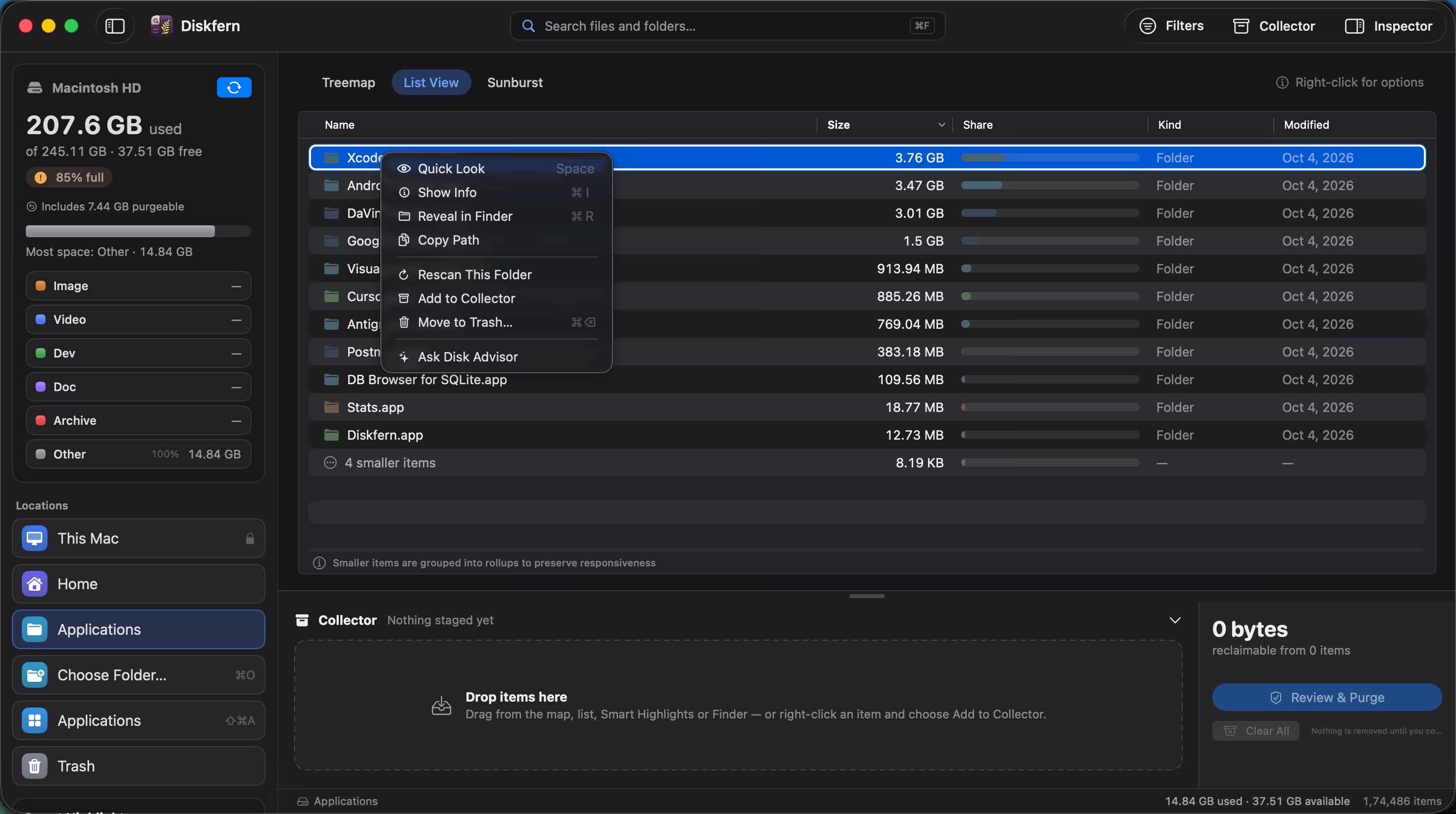
Diskfern separates analysis from cleanup. Pro tools let you stage candidates in a Collector, review personal files before staging, and move approved items to the macOS Trash. Protected items remain unavailable.
01
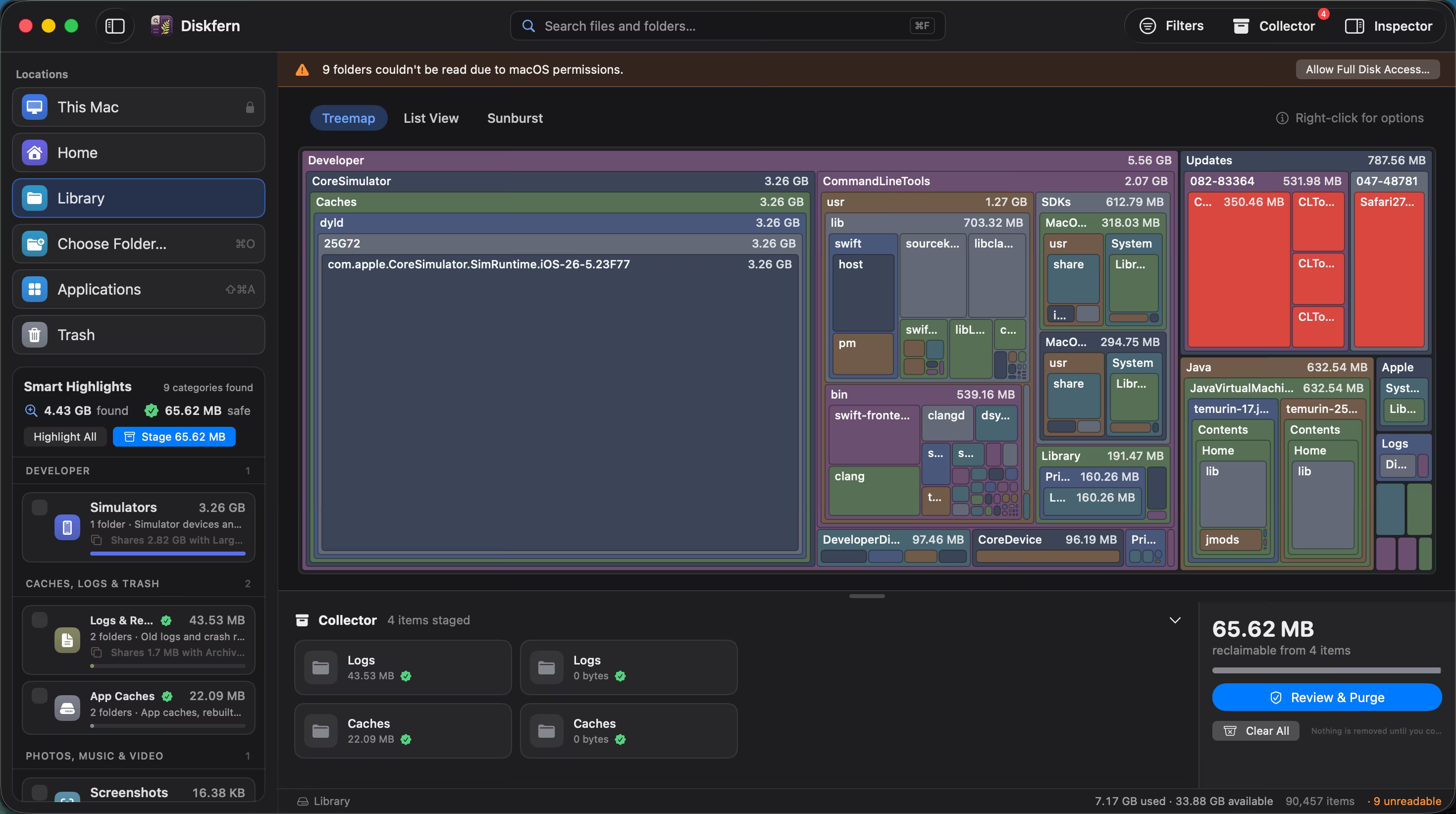
Collect first, act second
Add candidates from the map or list while keeping a running place to review them.
- Dedicated Collector
- Size totals before action
- Remove items from the selection
02
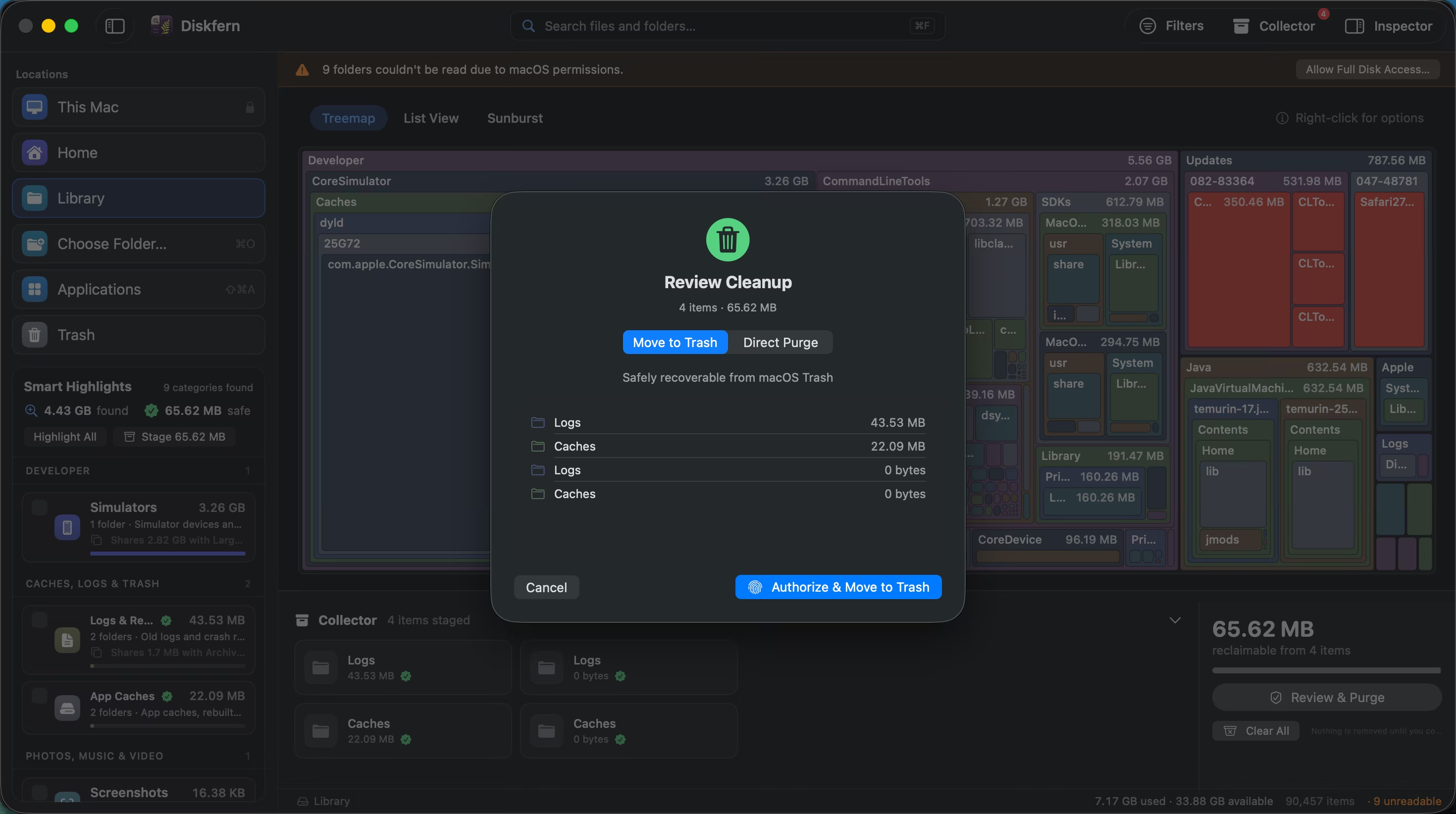
A review sheet before cleanup
Location, kind, size, and safety status stay visible at the moment that matters.
- Personal files require review
- Protected items stay locked
- No silent permanent deletion
03
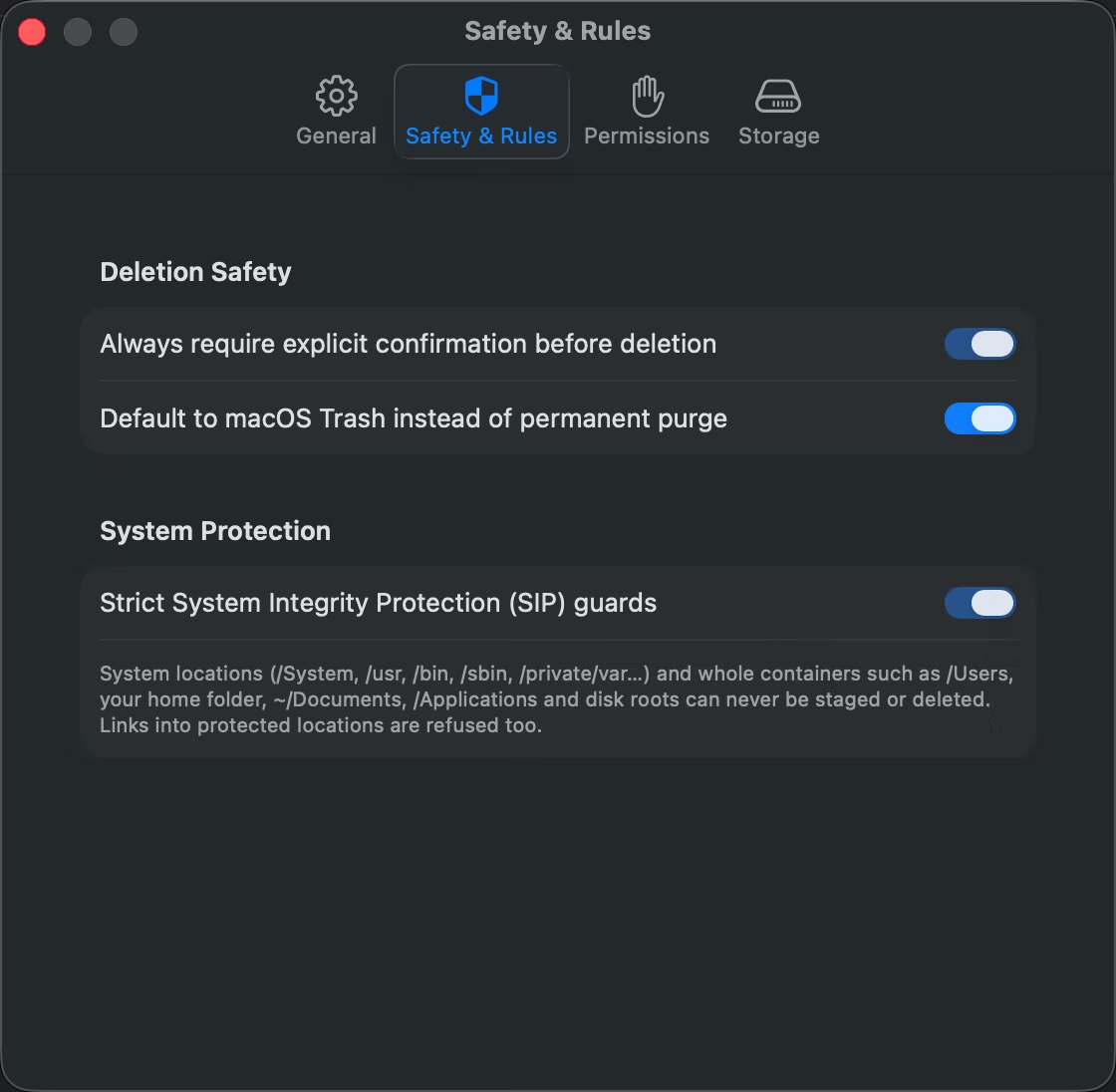
Trash keeps recovery possible
Move to Trash is selected by default. Check the selected mode before confirming; Direct Purge permanently removes items. Trash is a recovery aid, not a backup.
- Trash-first
- User confirmation
- No background agent
Questions about Safe cleanup
Does Diskfern permanently delete files?
Trash is the default. The review sheet also offers permanent deletion, and a preference can change the default; check the selected mode before confirming.
What is the Collector?
It is a review list for cleanup candidates before any move takes place.
Is cleanup included in Free?
Analysis is free; Collector cleanup, Stage Safe, and the app uninstaller are Pro.
Can I recover a moved file?
Items moved to Trash follow macOS recovery behavior until the Trash is emptied.
Related guides

Get your space back. Start with a free scan.
Explore the files and folders Diskfern can read. Your files stay on your Mac, and nothing is removed until you say so.
macOS 14 Sonoma or later · Apple silicon and Intel