 Diskfern
Disk space analyzer
A disk space analyzer that feels like part of macOS
Map readable folders, then move from the big picture to individual files without losing your place.
Short answer
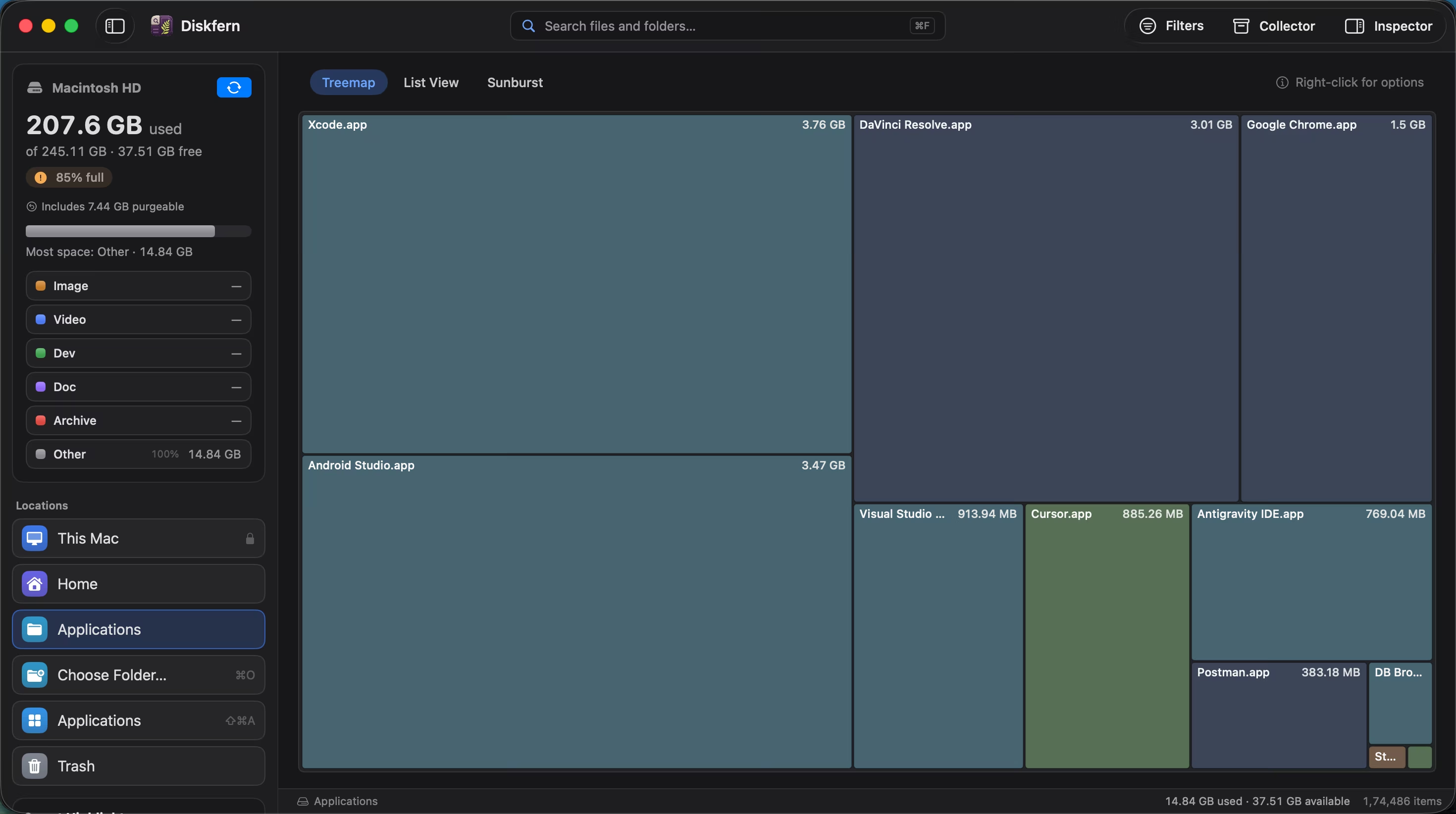
Diskfern scans your Mac and presents the result as a treemap, sortable list, or sunburst. Search, filters, saved results, and Quick Look help you understand what is using space before you decide what to do.
01
Choose the view that answers your question
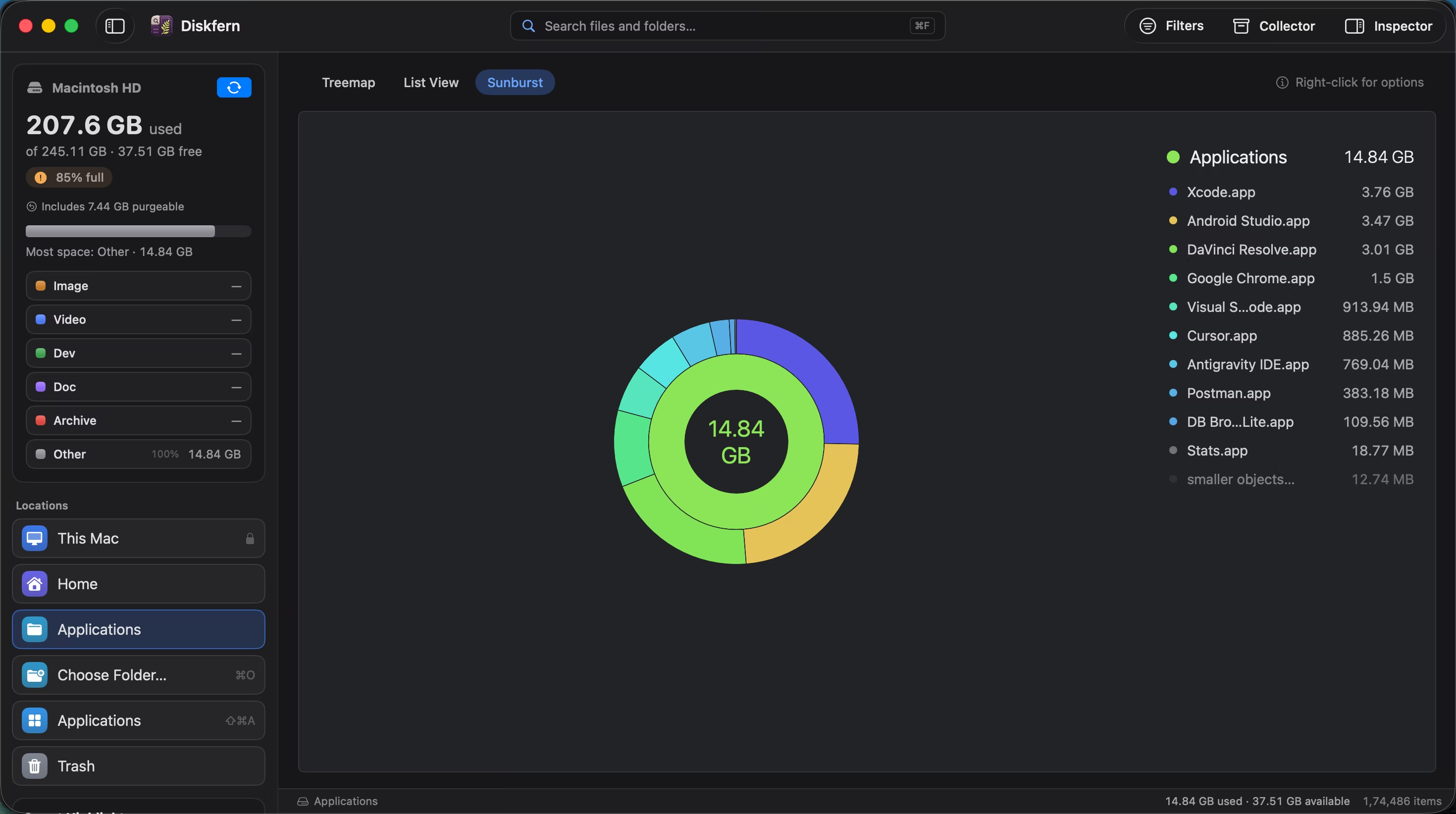
Treemap reveals the biggest blocks. List view makes comparison precise. Sunburst shows folder depth.
- Three complementary views
- Consistent selection between views
- Readable file sizes and paths
02
Scan without staring at a spinner
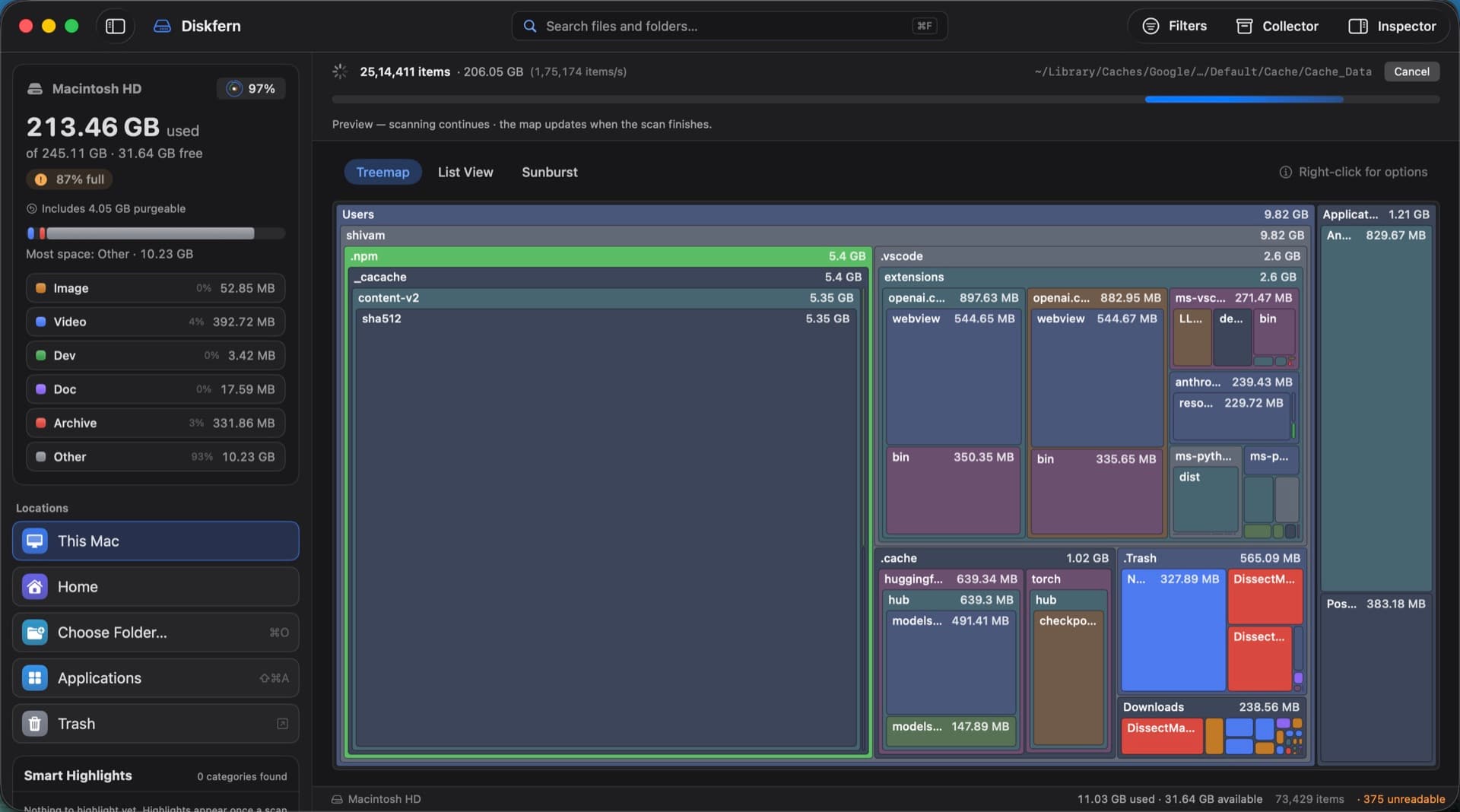
Diskfern shows live progress and a useful preview while it works.
- Live item count
- Current path is visible
- Cancel whenever you need
03
Inspect before you act
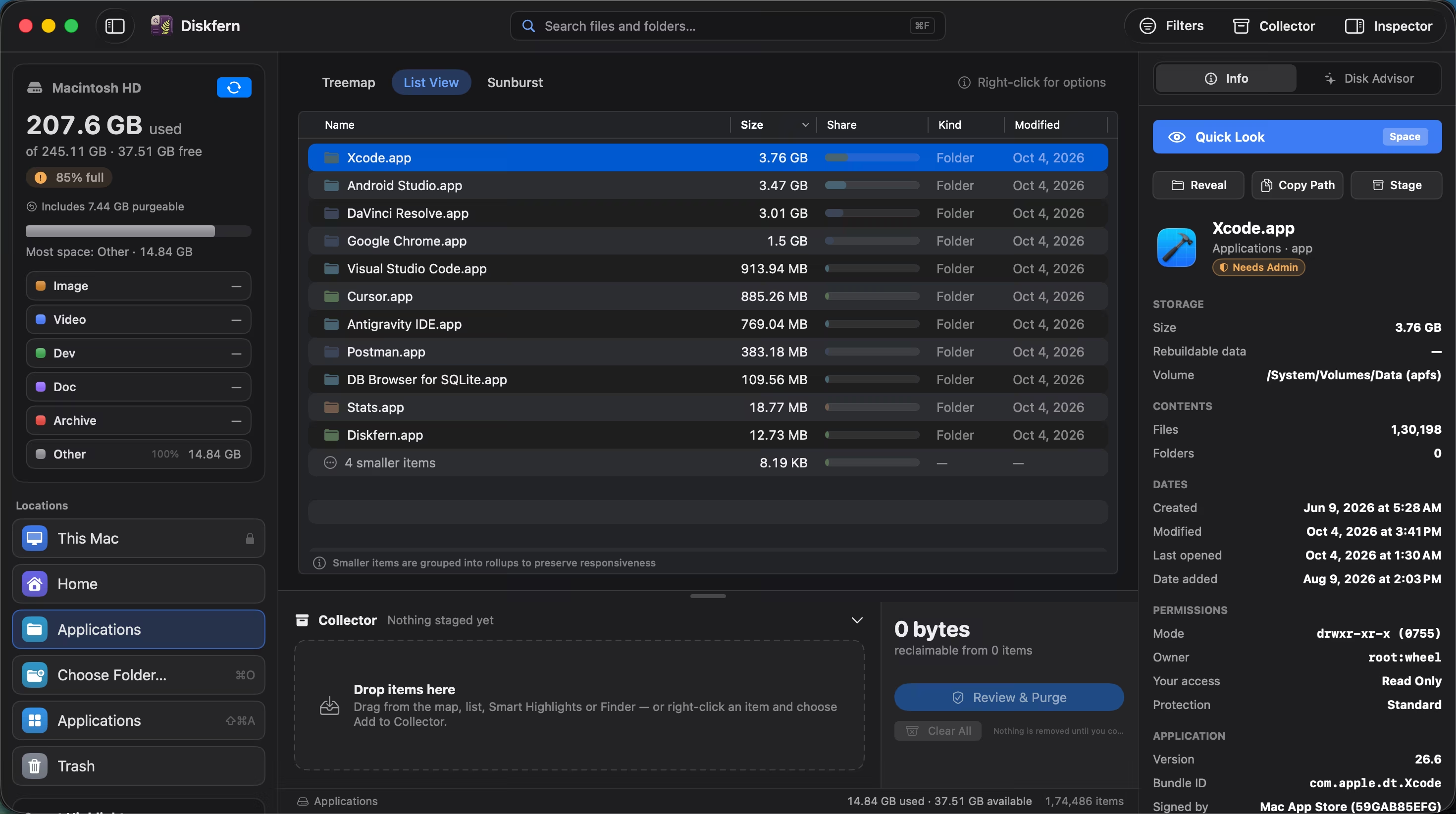
Quick Look brings size, location, ownership, permissions, and protection into one clear sheet.
- Reveal in Finder
- Copy a path
- Review protection status
Questions about Disk space analyzer
Does Diskfern delete files during a scan?
No. Scanning and exploring do not delete anything.
Can I scan one folder?
Yes. Choose a folder when you do not need a whole-disk scan.
Which views are free?
Treemap, list, sunburst, search, filters, and Quick Look are part of Free.
Does a scan upload my filenames?
No. Disk analysis stays on your Mac.

Get your space back. Start with a free scan.
Explore the files and folders Diskfern can read. Your files stay on your Mac, and nothing is removed until you say so.
macOS 14 Sonoma or later · Apple silicon and Intel