 Diskfern
Press kit
Diskfern for the press
Product descriptions, key facts, approved screenshots and the app icon. Everything here is ready to use when writing about Diskfern.
Diskfern in a sentence
Diskfern is a native Mac app that shows what is filling your disk and helps you clear space safely, with your files and analysis kept on your Mac.
Short description
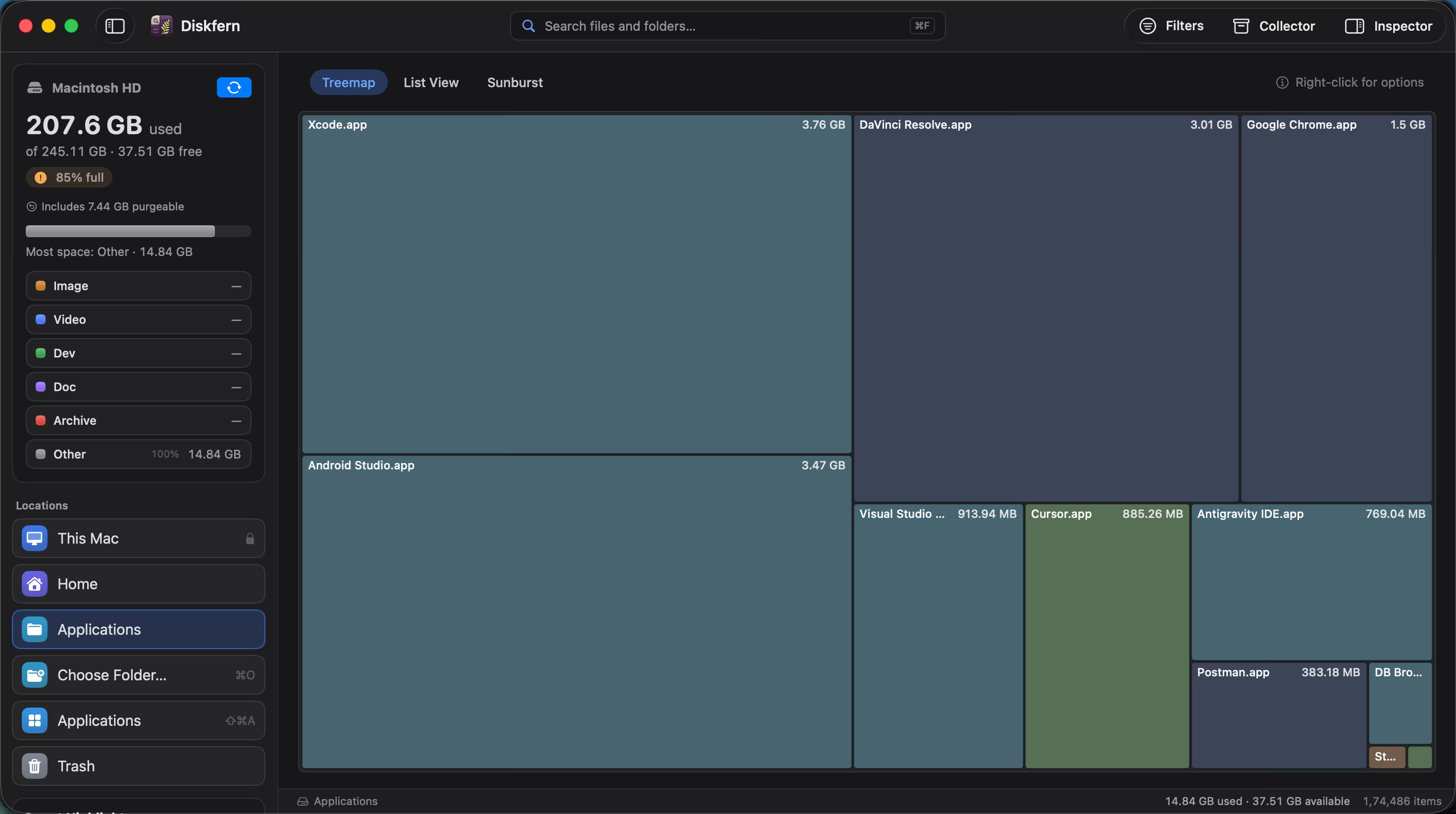
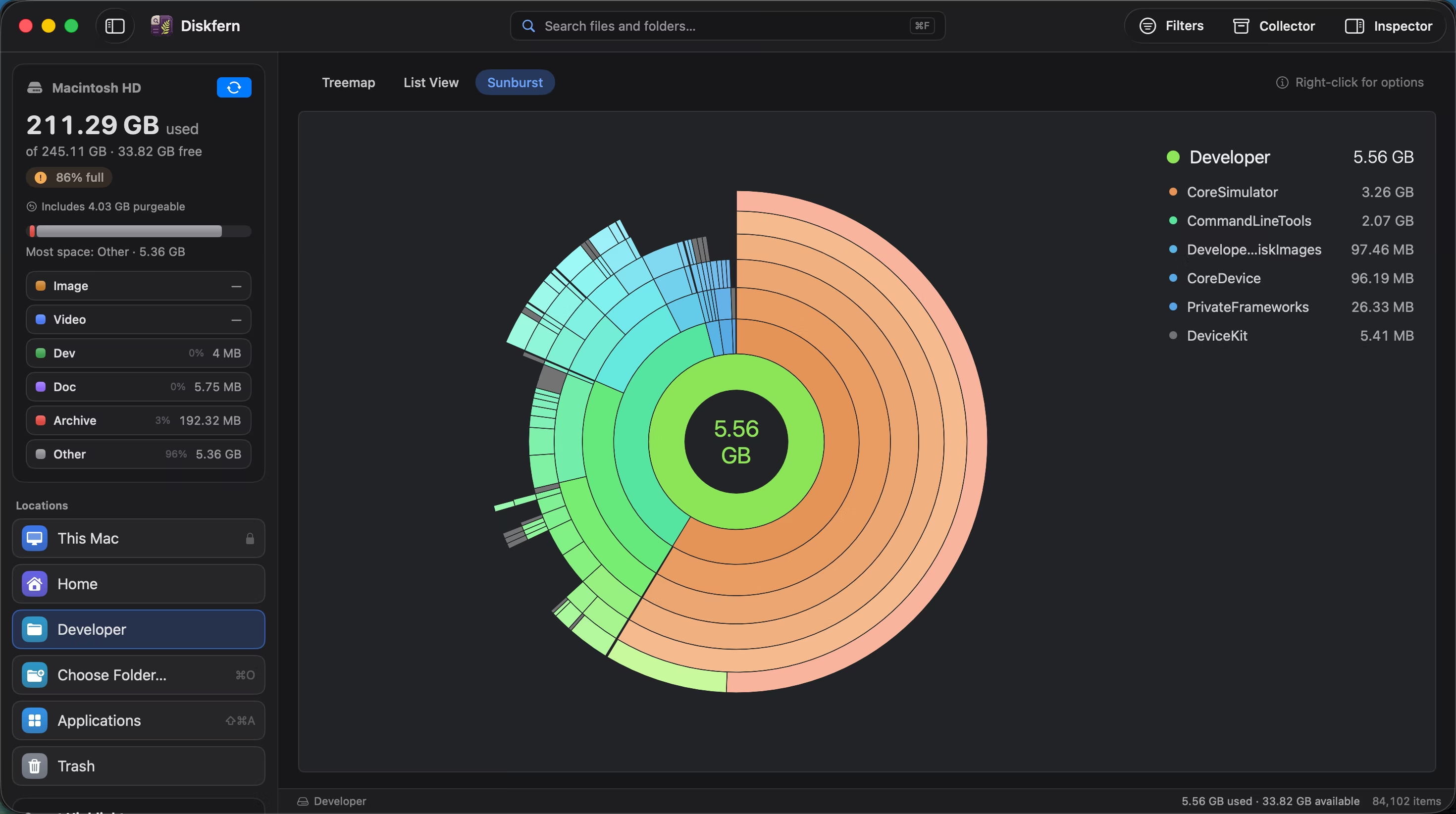
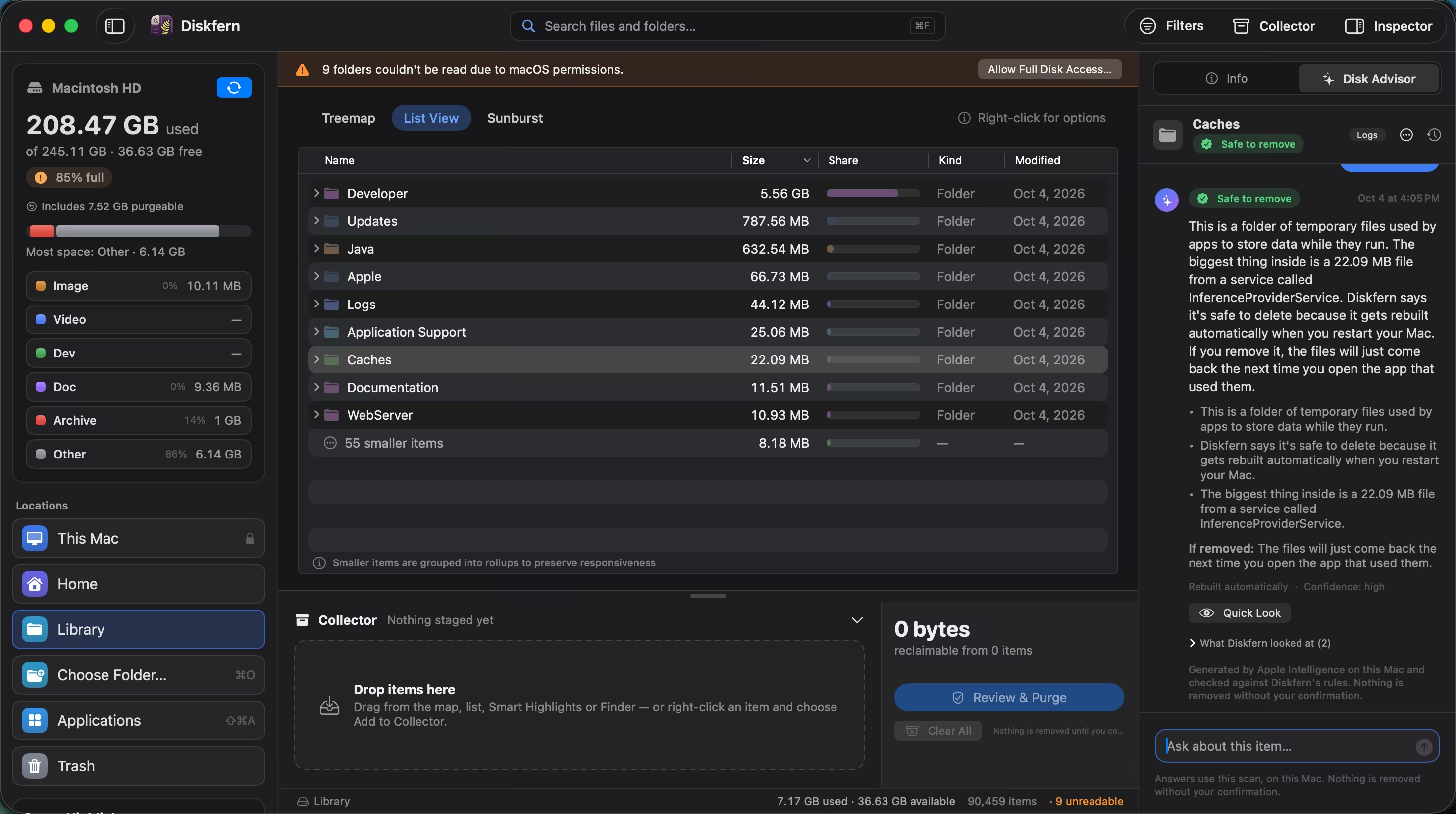
Diskfern maps accessible files on a Mac’s disk as a treemap, a sorted list or a sunburst, explains common space users such as developer caches and logs with Smart Highlights, and lets people review items in a Collector before moving them to the Trash. Scanning and analysis run entirely on the Mac.
Long description
Diskfern helps Mac users understand where their storage has gone and review what they can remove. It scans the whole startup disk, the home folder or any chosen folder, and presents the results in three views: a treemap that sizes every item by the space it uses, a list sorted by size, and a sunburst that shows nested folders as rings. Diskfern Finder searches the results in plain language, and Smart Highlights group common storage, from developer caches to old downloads, with a safety label for each.
Cleanup is deliberate. Items are gathered in the Collector and reviewed together; every cleanup is confirmed with Touch ID or the account password, starts with Move to Trash by default, and never touches protected system locations. On Macs with Apple Intelligence, Disk Advisor answers questions about storage using Apple’s on-device model. Diskfern is free to scan and explore; Pro and Family add cleanup, the app uninstaller and Disk Advisor as one-time purchases.
Key facts
- Product
- Diskfern, a disk space analyzer for Mac
- Requirements
- macOS 14 Sonoma or later, on Apple silicon or Intel
- Disk Advisor
- macOS 26 or later with Apple Intelligence, on Macs that support it
- Plans
- Free; Pro for one Mac; Family for up to 5 Macs in one household. Pro and Family are one-time purchases.
- Availability
- Launching soon; waitlist open at diskfern.com
- Privacy
- Scanning and analysis happen on the Mac. Files and scan results are never uploaded.
- Performance
- A full startup disk scan of about 2.9 million files in about 16 seconds, measured on a MacBook Air, Apple M4, 16 GB memory
Benchmark details and methodology: Diskfern benchmarks (MacBook Air · Apple M4 · 16 GB · macOS 26.6). Current prices: Pricing.
Screenshots
Real captures of Diskfern on macOS. Select an image to download the full-resolution file.



App icon
 512 × 512 PNG
 256 × 256 PNG
Using these materials
You may use the descriptions, screenshots and app icon on this page to write about or review Diskfern. Please don’t alter the screenshots or icon in a way that misrepresents the app, and don’t use them to suggest that Diskfern endorses you or your product.
Mac and macOS are trademarks of Apple Inc., registered in the U.S. and other countries. Diskfern is not affiliated with Apple.
Press contact
For interviews, review licenses or further material, email press@diskfern.com.